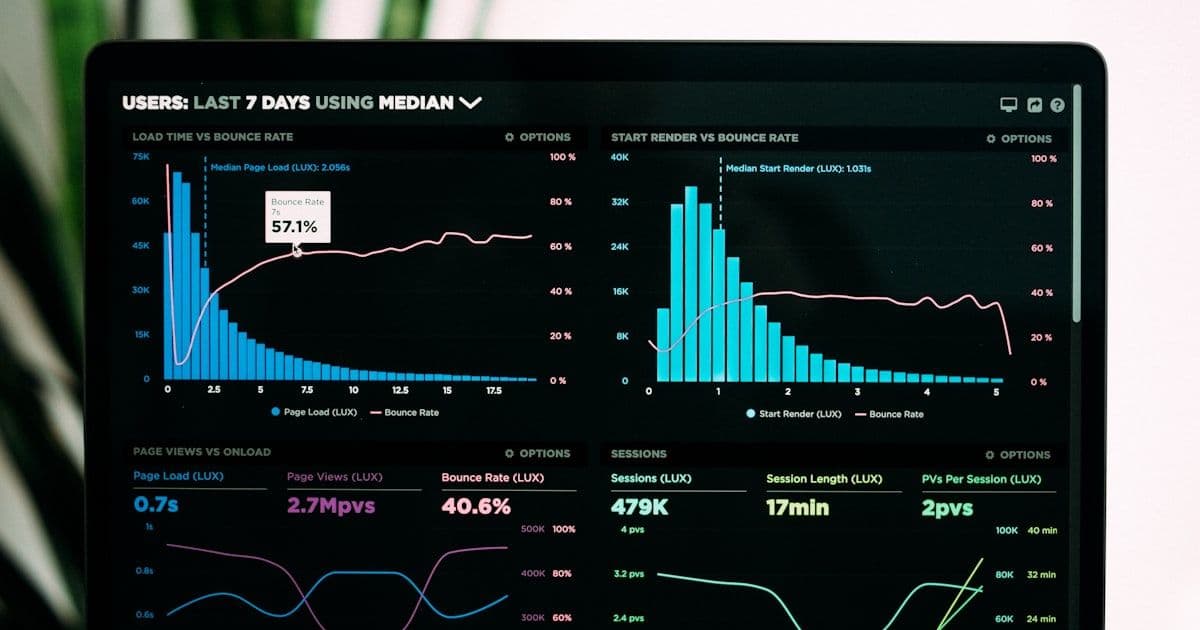
Website Speed Optimization: The Complete Guide for 2026
Learn proven techniques to make your website load faster. From image optimization to Core Web Vitals, this guide covers everything you need for peak performance.

Website speed is no longer just a nice-to-have—it directly impacts your search rankings, conversion rates, and revenue. Google has confirmed that page speed is a ranking factor, and research consistently shows that faster sites convert better. A one-second delay in page load time can result in a 7% reduction in conversions.
This guide covers every aspect of website speed optimization, from quick wins you can implement today to advanced techniques that deliver long-term performance gains.
Understanding Core Web Vitals
Core Web Vitals are Google's metrics for measuring real-world user experience. They consist of three key measurements that every website owner should monitor and optimize.
Largest Contentful Paint (LCP)
LCP measures how long it takes for the largest visible element to render on screen. This is typically a hero image, heading, or large text block. A good LCP score is under 2.5 seconds. Common fixes include optimizing hero images, preloading critical resources, and reducing server response times.
Interaction to Next Paint (INP)
INP replaced First Input Delay in 2024 and measures responsiveness throughout the entire page lifecycle. It tracks how quickly the page responds to user interactions like clicks, taps, and key presses. A good INP score is under 200 milliseconds. Reducing JavaScript execution time and breaking up long tasks are the primary optimization strategies.
Cumulative Layout Shift (CLS)
CLS measures visual stability—how much the page content shifts unexpectedly during loading. A good CLS score is under 0.1. Always set explicit dimensions on images and embeds, use CSS aspect-ratio properties, and avoid inserting content above existing content after the page has started rendering.
Image Optimization Strategies
Images typically account for 50-70% of a page's total weight. Optimizing images is often the single most impactful speed improvement you can make.
Use Modern Image Formats
WebP delivers 25-35% smaller file sizes compared to JPEG at the same quality. AVIF offers even better compression—up to 50% smaller than JPEG. Modern frameworks like Next.js automatically serve optimized formats through their Image component, handling format negotiation based on browser support.
Implement Responsive Images
Serving a 2000px wide image to a mobile device with a 400px viewport wastes bandwidth. Use the srcset attribute and sizes property to serve appropriately sized images based on the viewer's device. This alone can reduce image payload by 60-80% for mobile users.
Lazy Loading and Priority Hints
Lazy load images that appear below the fold to defer their download until they are needed. For critical above-the-fold images like hero banners, use priority loading and preload hints to ensure they load as quickly as possible.
JavaScript Performance
JavaScript is often the largest contributor to slow interactivity. Every kilobyte of JavaScript must be downloaded, parsed, compiled, and executed—making it byte-for-byte the most expensive resource on your page.
Code Splitting and Dynamic Imports
Instead of shipping one massive JavaScript bundle, split your code into smaller chunks that load on demand. Route-based code splitting ensures visitors only download the JavaScript needed for the page they are viewing. Dynamic imports let you defer loading of heavy components until they are actually needed.
Audit Third-Party Scripts
Third-party scripts for analytics, ads, chat widgets, and social embeds can add hundreds of kilobytes and dozens of network requests. Audit every third-party script on your site and ask whether its value justifies its performance cost. Load non-critical scripts with async or defer attributes, and consider replacing heavy widgets with lighter alternatives.
Server and Hosting Optimization
No amount of front-end optimization can compensate for a slow server. Your Time to First Byte (TTFB) sets the floor for how fast your site can possibly load.
Use a CDN
A Content Delivery Network serves your content from servers geographically close to your visitors. This can reduce latency by 50-80% for users far from your origin server. Modern CDNs like Vercel's Edge Network and Cloudflare also offer edge computing capabilities for dynamic content.
Enable Compression and Caching
Enable Brotli or Gzip compression to reduce the transfer size of text-based resources by 60-80%. Set appropriate cache headers so returning visitors load resources from their browser cache instead of making new network requests. Static assets should use long cache durations with content-based hashing for cache busting.
CSS Optimization
CSS blocks rendering—the browser cannot display content until it has processed all CSS files. Inline critical CSS needed for above-the-fold content and defer the rest. Remove unused CSS rules, which can account for 80-90% of your stylesheet in large projects. Tools like PurgeCSS or Tailwind's built-in purging can eliminate dead CSS automatically.
Measuring and Monitoring Performance
You cannot improve what you do not measure. Use Google PageSpeed Insights for lab data and the Chrome User Experience Report for real-world field data. Set up performance budgets that alert you when metrics exceed thresholds, and monitor Core Web Vitals continuously through Google Search Console.
Performance is not a one-time project—it requires ongoing attention. New features, third-party script updates, and content changes can all introduce regressions. Build performance checks into your development workflow and deployment pipeline.
Get Expert Performance Optimization
Lima Web Studios builds websites optimized for performance from the ground up. Using Next.js, server-side rendering, and modern optimization techniques, we deliver sites that load fast and score high on Core Web Vitals. Our performance audits identify exactly where your site is losing speed and provide a prioritized roadmap for improvement.
Contact us today for a free performance audit and see how much faster your website could be.
You might also like

B2B Landing Page Design That Converts: Best Practices for 2026
Learn the proven B2B landing page design principles that drive conversions. From headline formulas to form optimization, build pages that turn prospects into leads.

How to Generate Leads from Your Website: A Proven Framework
Transform your website into a lead generation engine. Learn the proven framework for capturing, qualifying, and converting website visitors into sales opportunities.

10 Web Design Mistakes That Are Losing You Customers
Discover the most common web design mistakes driving visitors away and learn how to fix them to increase conversions and customer retention.